
BRAD
Hates
Running.
Runs
Anyway.
A running tracker for people who run and resent it.
A running tracker that keeps you company and keeps the numbers honest.
It measures the distance, times the suffering and reads out your pace in a calm, pre-rendered voice. It never cheers. The numbers are exact anyway.
It measures the distance, times the run and reads out your pace in a calm, pre-rendered voice. Kind words, exact numbers.
Tap the face. The app has one too.


Who it's for
For people who run and would rather not.
You go out because the doctor said so, or the jeans did, or you entered a 10K in a weak moment. You don't want a coach who shouts, a streak to protect or a feed of strangers. You want to know how far, how long and how slow, and then you want to go home.
It never cheers
No badges, no confetti, no exclamation marks. The jokes are in the words. The numbers stay honest.
No account
Nothing to sign up for. Your runs live on your phone, where you left them.
No ads, no analytics
The app doesn't report on you. The only thing it fetches from the internet is map tiles.
The run
Distance, time, pace. Exactly.
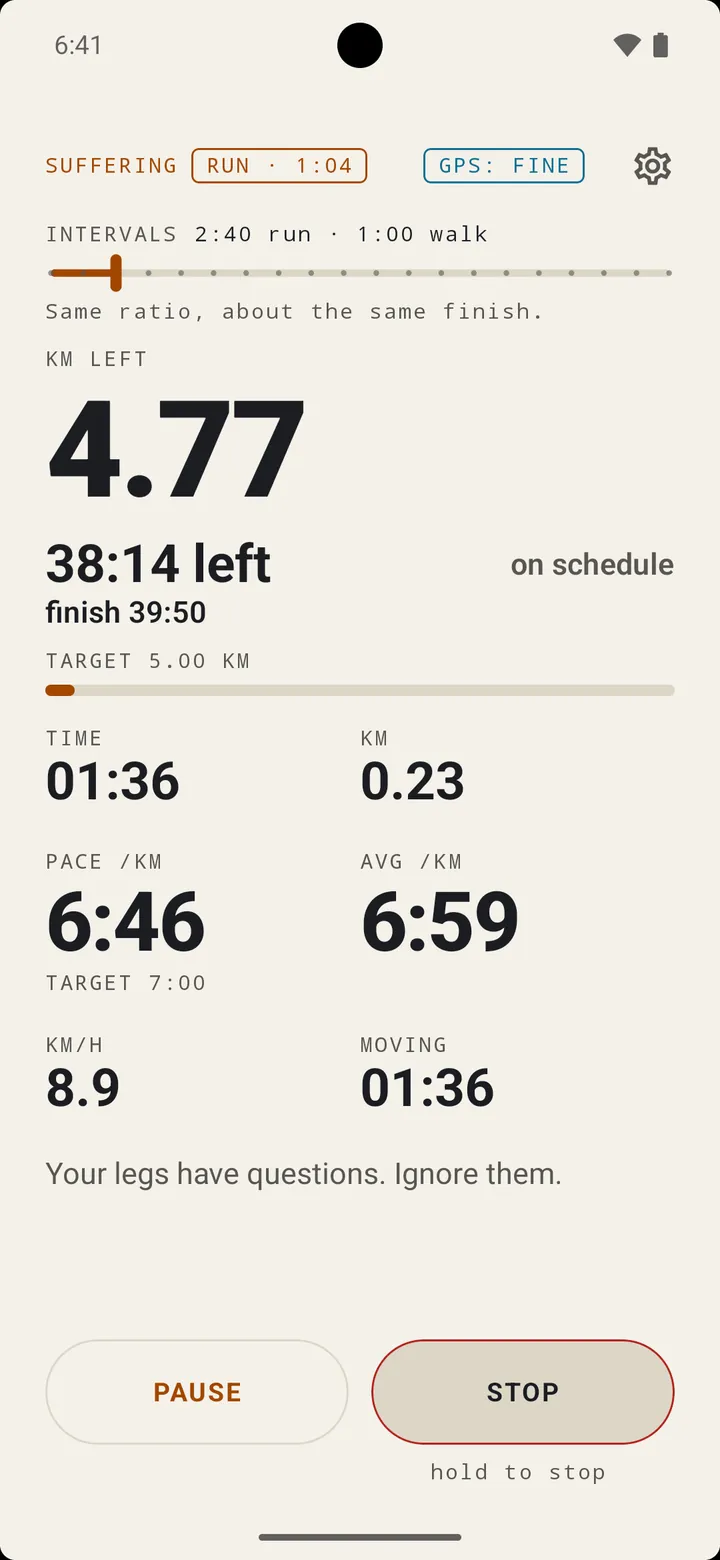
- The lot: distance, elapsed and moving time, current and average pace, and speed, in big numbers you can read mid-stride.
- Screen off, still counting. Press the power button mid-run and the run screen shows without unlocking. Pause works from there and from the notification; Stop asks for your PIN first.
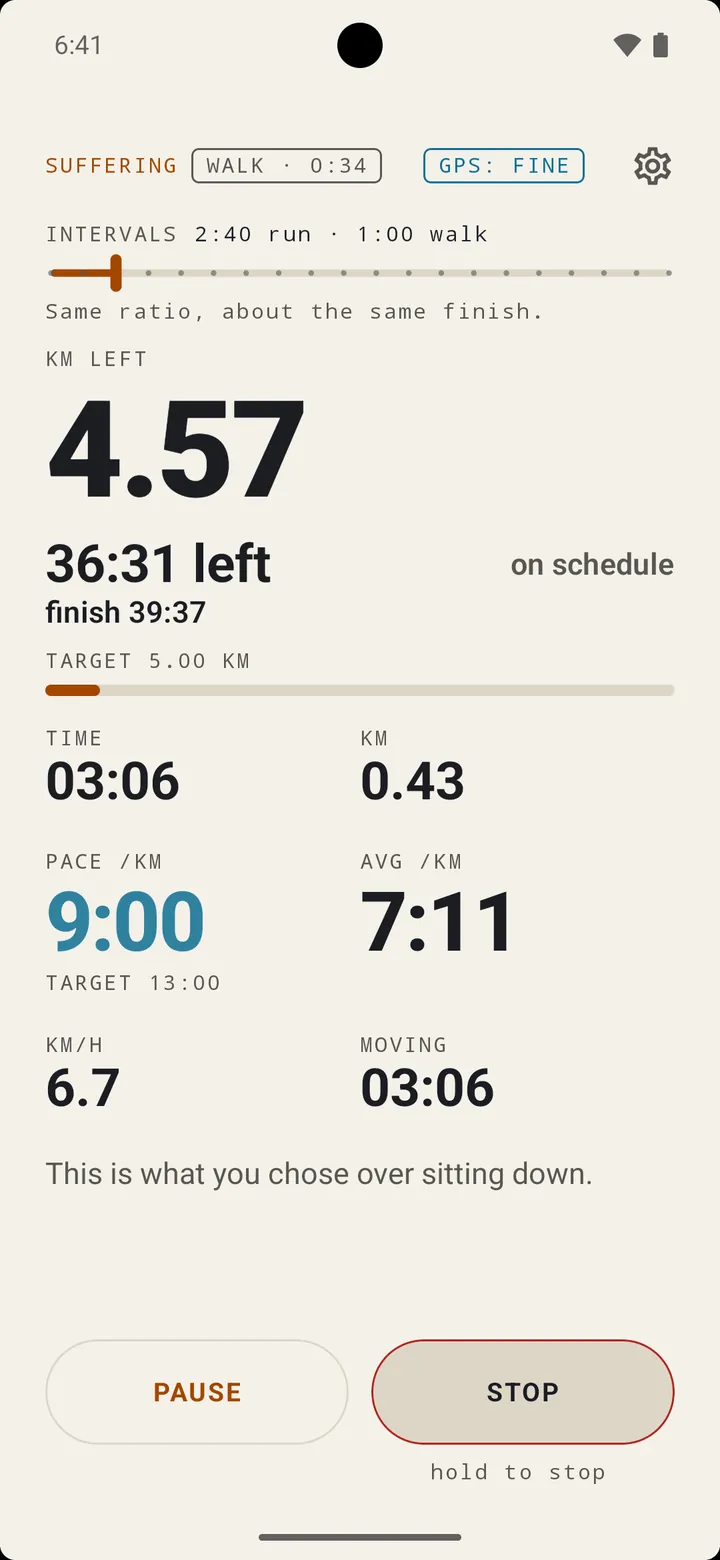
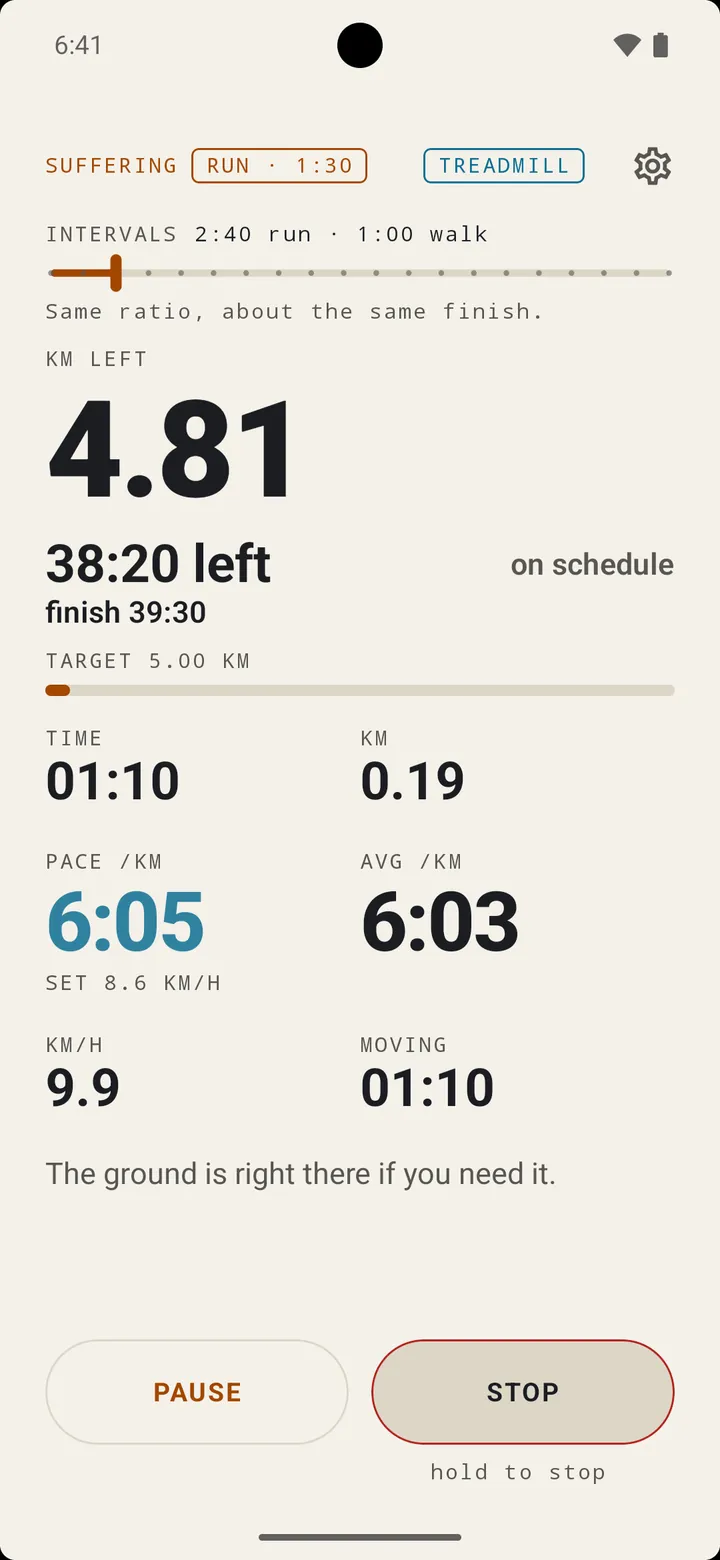
- A finish clock. With a distance to count down and a pace to hold, it shows how long the rest will take and what your time will be at the end: "2:41:05 left · finish 6:04:10". On a run/walk plan it adds how far behind or ahead you are. The lock-screen notification leads with it too.
- Auto-pause if you want it. Stop at the lights and the clock stops too. "Stopped. Understandable."
- Hold to stop. A tap does nothing, so a pocket can't end your run for you.
- Honest GPS. Bad fixes are filtered out, the wobble is smoothed so it doesn't pad the distance, and a chip tells you when the satellites are sulking.
- Kilometres or miles. Every number, cue and pace follows. Miles make the numbers smaller, if that helps.
Still going. Nobody made you do this.
On screen, every minute and a half
This time
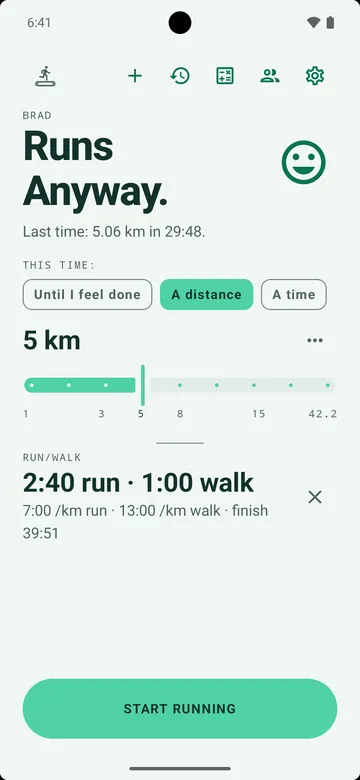
Say how much. It counts down.
Pick a target before you start and the big number becomes what's left of it. Reach it and nothing ends: the app says so and lets you decide.
A distance, or a time
5 km, 30 minutes, a half marathon. Or "Until I give up", which is also valid. The last seconds are counted out loud.
"TARGET REACHED. YOU MAY STOP. OR DON'T."
A snack
Tell it your weight and switch on snack units, and you can run off a donut, a pint or a slice of pizza. It turns the food into a distance and counts that down.
A pace coach
Set a target pace and it tells you when you're off it, too slow or too fast, but only once you've been off long enough that one hill doesn't count.
"Slower than you agreed to. Just so we both know."
The voice
It pauses your audiobook. It doesn't talk over it.
When there's something to say, the app asks your audiobook or podcast to pause, says it, waits a breath, and hands the story back. You lose a few seconds, not a sentence.
- One voice, rendered in advance. Every line the app can say was generated ahead of time with a voice model trained on public-domain audiobook recordings, and ships inside the app as audio. Nothing is synthesised mid-run, nothing is downloaded, and it works offline. Prefer the phone's own text-to-speech? That's an option too.
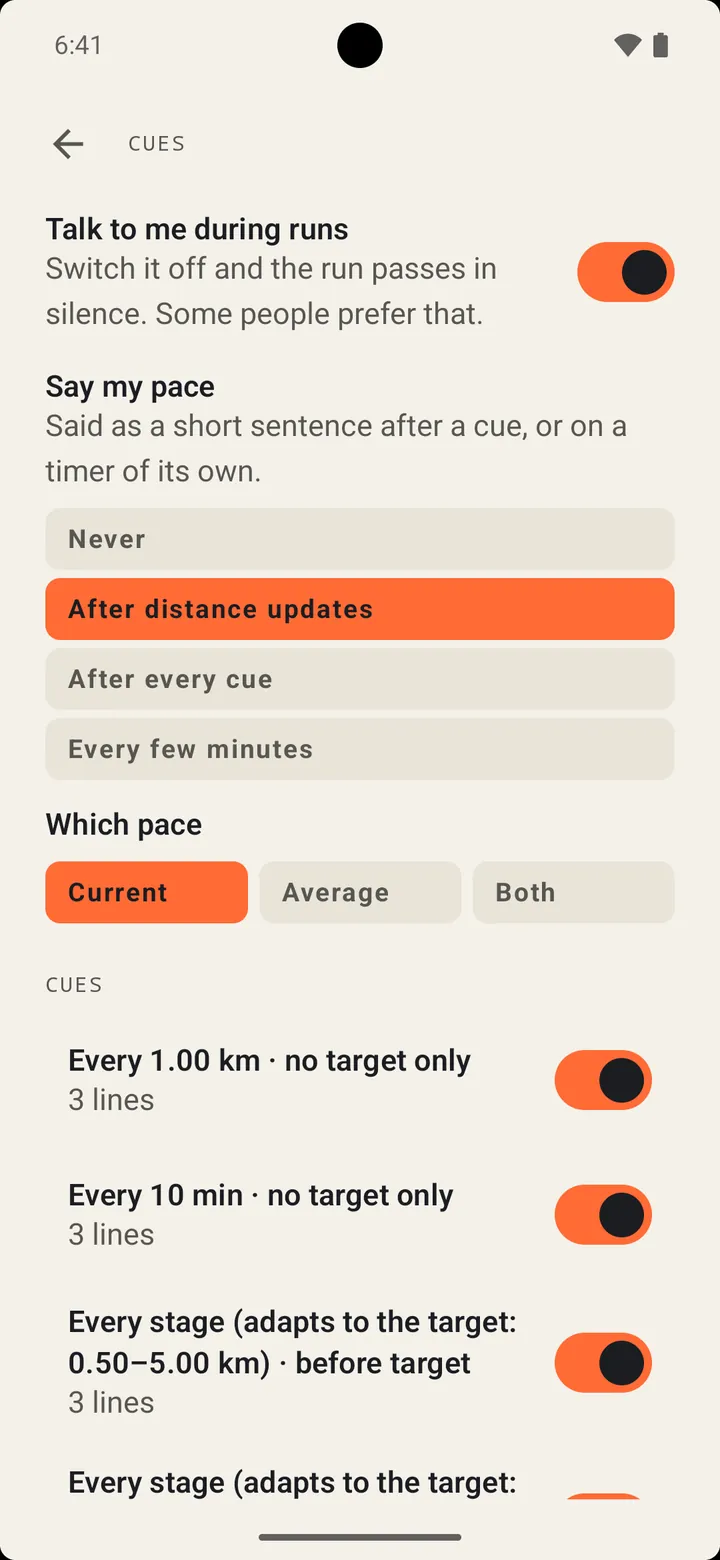
- Cues when you want them: every kilometre or mile, every so many minutes, halfway, at a distance or time you pick, or spaced to suit your target. Plus your pace, if you ask.
Your pace is 6 minutes 40 per kilometre. Pick it up. Or don't, but I'll keep mentioning it.
The pace coach, grumpy. Voice: Mike Pelton, public-domain LibriVox recordings; model by Bryce Beattie
Did you know
Something to think about that isn't running.
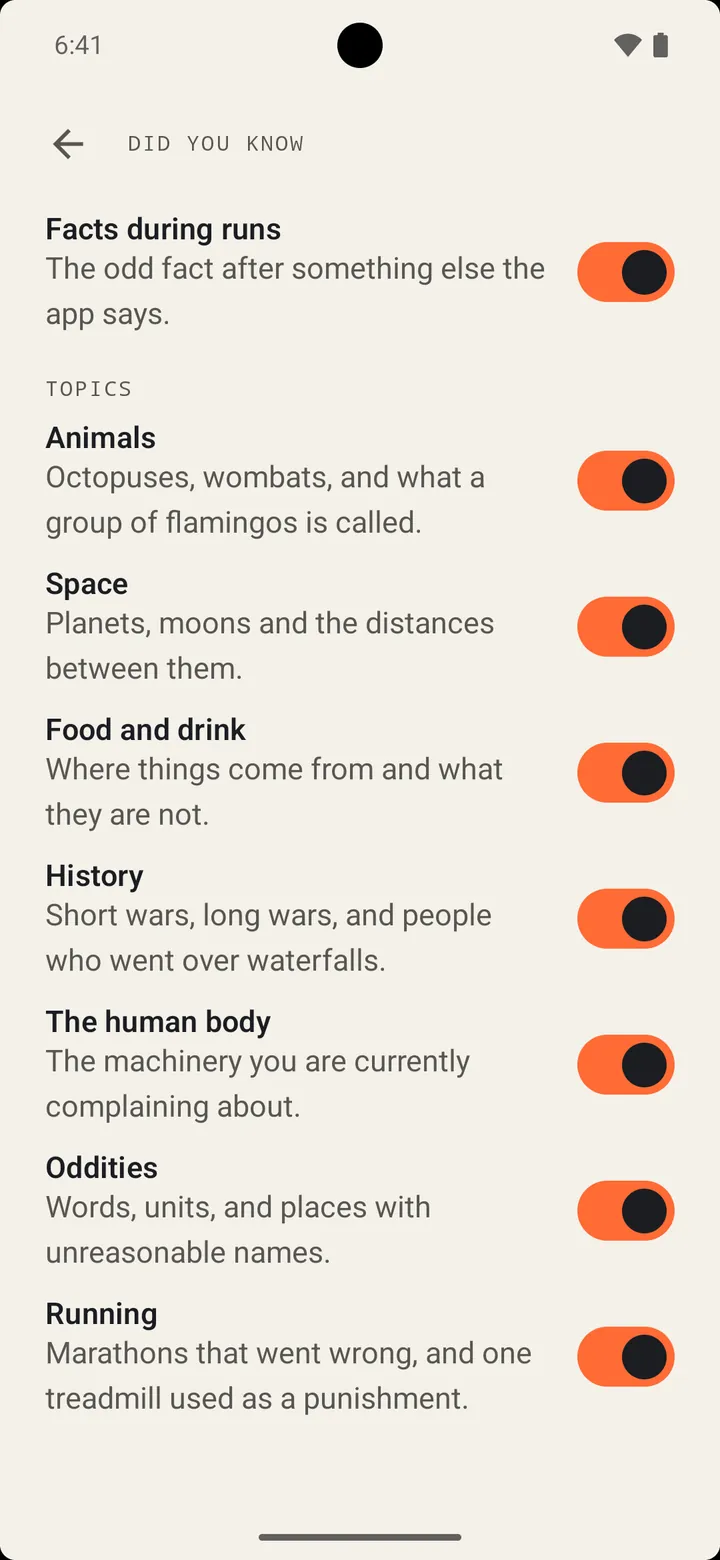
Now and then a cue is followed by a fact. There are 135 of them across seven topics: animals, space, food and drink, history, the human body, oddities, and running, but only the dumb ones. Switch off any topic you can live without. You won't hear the same fact twice until you've heard the lot.
Did you know a group of flamingos is called a flamboyance?
I did not say it was useful.
Mid-run, somewhere around kilometre three
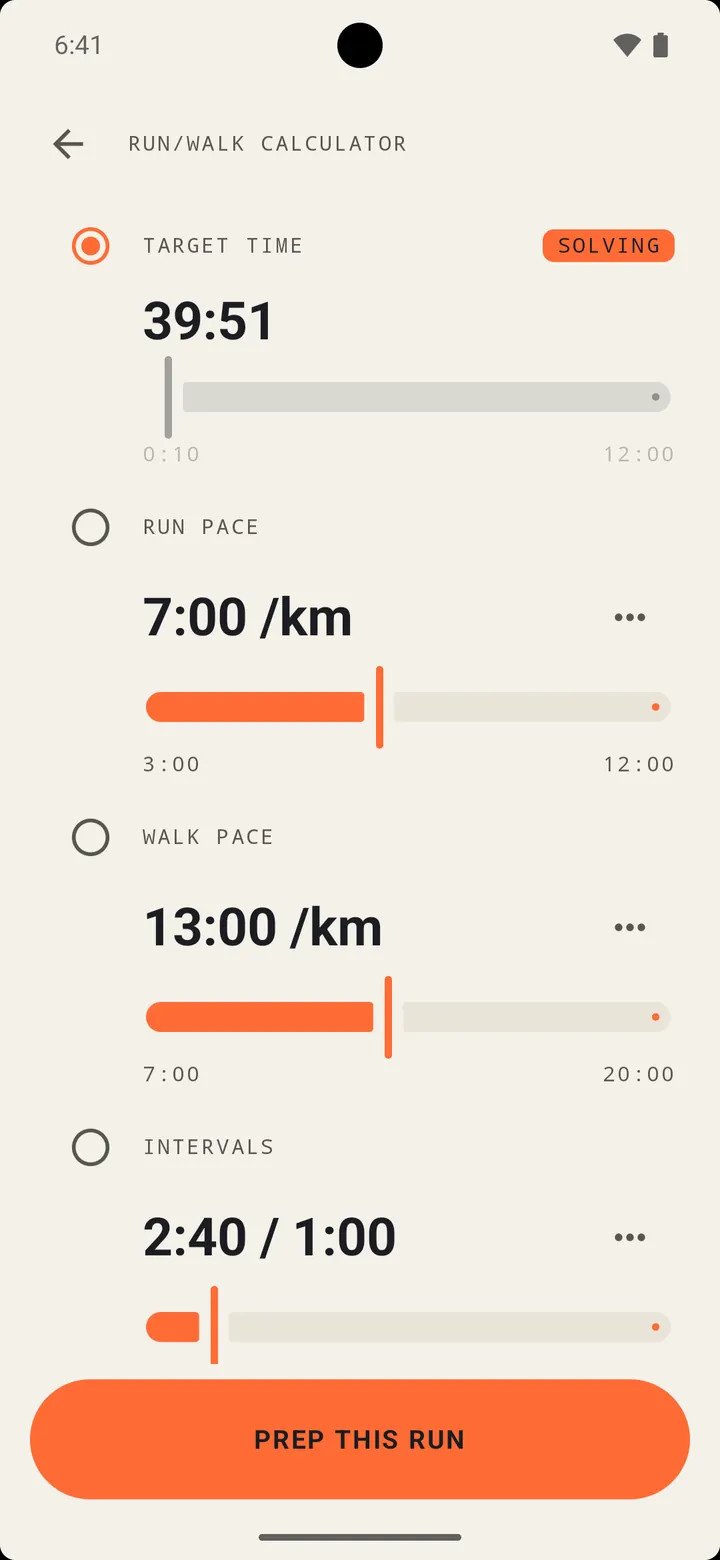
Run/walk
Run a bit, walk a bit, finish on time anyway.
Pick a distance, then any three of finish time, run pace, walk pace and intervals. The calculator works out the fourth, to the second, and says plainly when the numbers can't be done.
- Prep this run and the plan waits on Home. Start, and the app tells you when to switch.
- A pace for each half. The pace coach judges a run as a run and a walk as a walk. A walk that has become a stroll is off plan too.
- It does the maths as you go. Fall a minute behind and it tells you the new finish time. Catch up and it tells you that too.
- The plan sticks to the run. History tags it RUN/WALK and the summary says what you were aiming for.
Walk for 1 minute at 13 minutes per kilometre. Don't get comfortable.
You're falling behind. At current plan paces, your finish time is 42 minutes.
Switch cue and schedule cue
Treadmill
Running nowhere, measured anyway.
GPS can't measure a run that goes nowhere. Switch Treadmill on before you start and the app counts your steps instead. No location, no map, just the phone in your pocket.
Forgot the switch? When the steps are steady and the GPS says you're going nowhere, the run offers, once, to become a treadmill run.
Steps times stride
Your outdoor runs teach it how long your walking and running strides are, once it has a few minutes of each. On the treadmill it counts walking steps and running steps at their own stride. Don't like its numbers? Type your own in Settings.
What to set on the belt
You don't choose the pace on a treadmill; the belt does. So the voice tells you what to press, as a speed or, if you prefer, a pace. On a run/walk plan it says so at every switch.
"Set 9.5 kilometres an hour. The belt won't do it for you."
Put it in your pocket
A phone on the console counts no steps. If none come in, a banner says so and the voice asks for a pocket. Both go away the moment the steps start.
"I can't feel any steps. Put me in your pocket."
No stride yet, or no step counter? The distance targets are greyed out, the run counts time only, and you type in the distance from the treadmill's display at the end. Treadmill runs show a treadmill instead of a route.
Afterwards
Where it went, and where it went wrong.
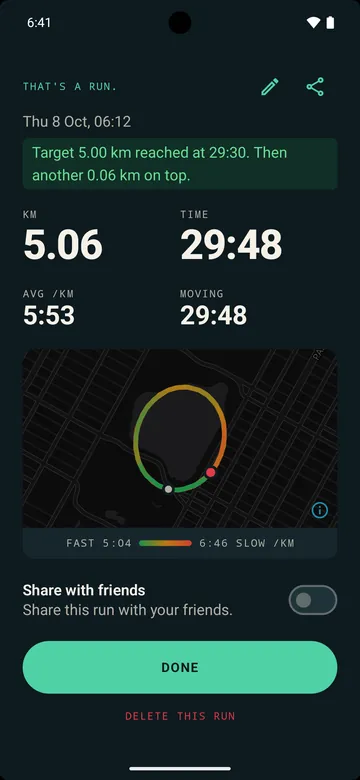
- A route coloured by pace. Green where you were quick, red where you weren't, drawn over an OpenStreetMap map, with the range in your units underneath. Offline, you still get the shape.
- A verdict. Whether you hit the target, by how much, and a line from Brad about how it went.
- History with a thumbnail of each route, so two Tuesdays look different (a treadmill run gets a treadmill), and badges that say whether you met the target, came close, or fell short.
- Calories, only if you ask. Give it your weight and you get a rough figure, rounded, because anything more precise would be lying.
Double figures. The knees have filed a complaint.
Brad's verdict on a 10 km


Mood
Grumpy by default. Positive if you ask.
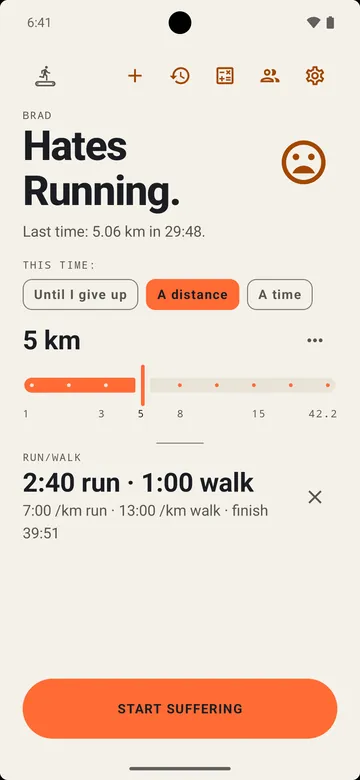
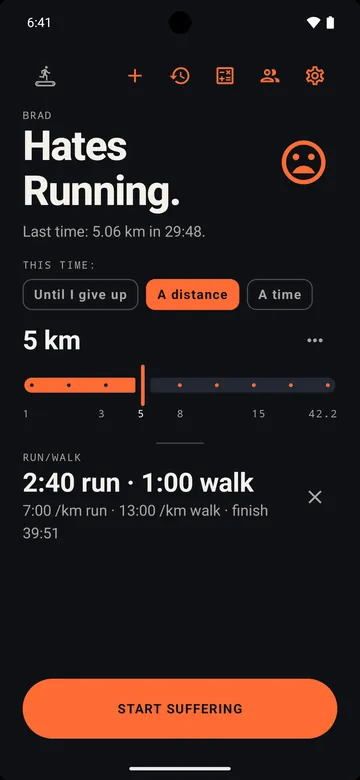
Tap the face on Home and the whole app changes its tune: every screen, every line it says out loud, and, if you like, its colours. It still won't shout. The numbers don't change, because the numbers are the numbers. Light or dark follows your phone, or you pick.
Grumpy
- Home
- Fine. Let's get this over with.
- Waiting for GPS
- GPS: waiting for satellites
- Mid-run
- The ground is right there if you need it.
- The end
- Mercifully, it's over.
- No runs yet
- No runs. The dream.
Positive
- Home
- Good day for it. Let's go.
- Waiting for GPS
- GPS: finding you
- Mid-run
- Shoulders down, breathe out. You're doing fine.
- The end
- That's a run.
- No runs yet
- No runs yet. The first one is the hardest.
Show off, carefully
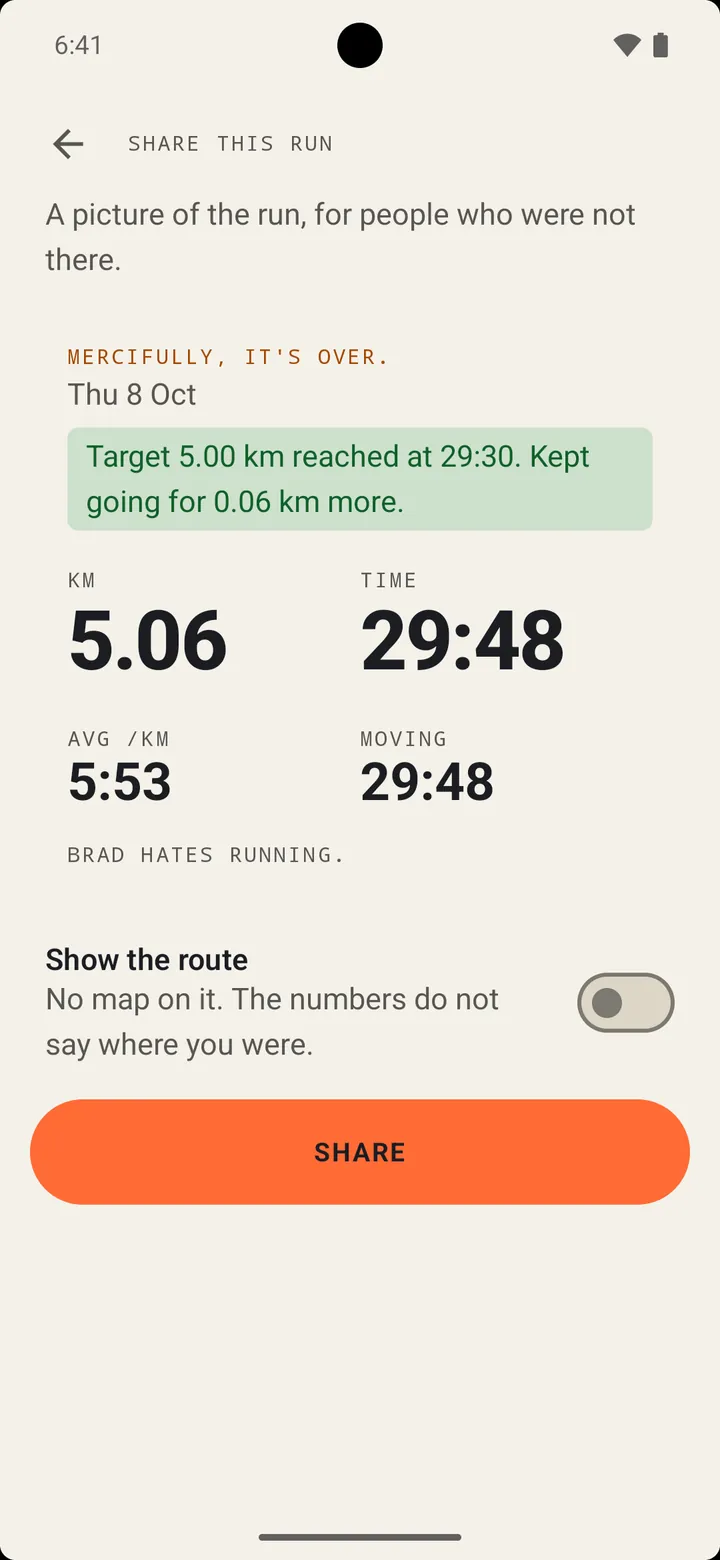
A picture of the run, not a map of your street.
Make a card of any run, with the numbers, the target and the plan, and send it wherever you like through your phone's share menu.
- No map on it. The numbers don't say where you were.
- The day, not the time. "Tue 22 Sep" is a fact about a run. "06:12" is a fact about your routine.
- The route shape is off, every time. Switch it on for one picture and the app warns you first: "Be careful - sharing this could reveal sensitive information about your location".
Friends
Friends, at a distance.
Add people with an eight-character code, decide how much each of them gets (nothing, weekly totals, every run, or every run plus the fact that you're out right now) and give them a nickname only you will see.
What a friend can ever get about a run is five things: the day, the distance, the moving time, the average pace and the target. Never where. Never what you weigh.
Online friends is opt-in. Nothing goes to our server until you switch it on, and you can switch it off, and delete what the server holds, whenever you like.
Your data, your call
It goes where you send it. Nowhere else.
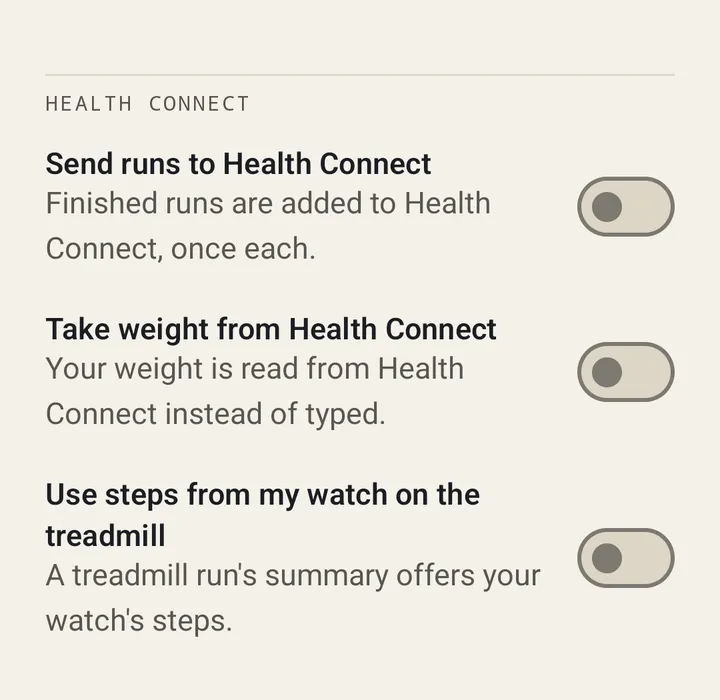
Health Connect
Off until you turn it on. Then each finished run goes to Health Connect once, with its distance, calories if you've given a weight, and the route if you allow it. It can also read your weight from there instead of you typing it, and your watch's steps to correct a treadmill run, each behind its own switch.
Backup and export
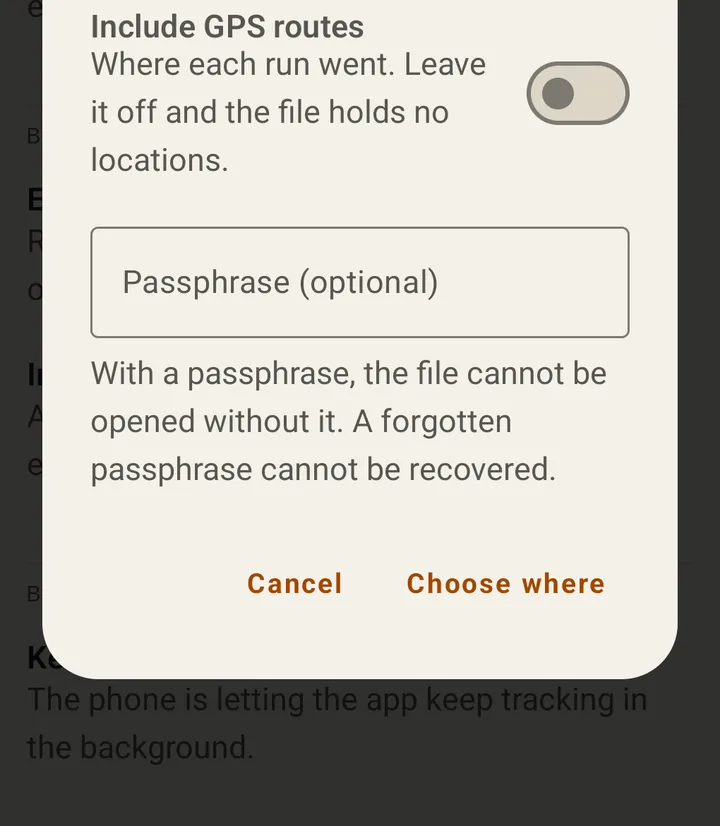
Android's own cloud backup copies your runs and settings but never your GPS tracks. To move everything yourself, export one file, with or without routes, locked with a passphrase if you want (AES-256). You choose where it goes. Import it on the next phone.
Privacy
Where you ran is nobody's business.
- GPS stays on the phone. Your tracks are stored on the device and aren't uploaded anywhere.
- Friends get summaries, never locations. A day and four numbers, and only once you switch Online friends on.
- Google's cloud backup leaves GPS out. Runs and settings go; routes don't.
- Exports are your files. Routes only if you tick the box, a passphrase if you want one.
- Health Connect only when you switch it on.
- No ads, no analytics, no sign-up.
The full privacy policy, including what the app fetches from the internet (map tiles, and our friends server if you switch it on).
This website is the same: no cookies, no analytics, and nothing loaded from anybody else's servers.
Get it
Not on Google Play yet. Brad is dragging his feet. Nearly ready for Google Play.
Brad Hates Running is for Android phones running Android 8.0 or newer.
An iPhone version is being built from the same code. So far it only runs in Apple's simulator on a Mac, and it isn't on the App Store.
Coming soon to Google Play